Apple Unleashes iOS 26.2 Update: Bolstering Security, Enhancing Features, and Expanding User Customization for Millions of iPhone Users

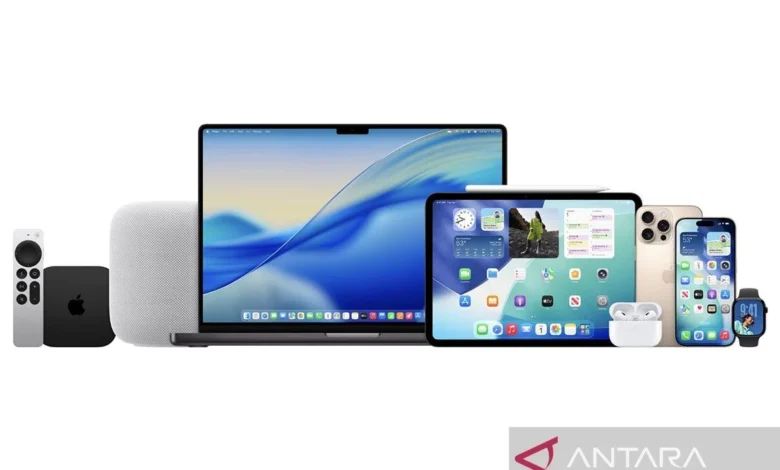
Jakarta, Indonesia – Apple Inc. has officially rolled out iOS 26.2, the latest incremental update to its flagship mobile operating system for iPhones, bringing a crucial suite of new features, essential bug fixes, and significant security enhancements designed to provide optimal protection and an enriched user experience. This point release underscores Apple’s continuous commitment to refining its software ecosystem, ensuring devices remain secure, functional, and aligned with evolving user demands and technological advancements. The update is now available globally, urging eligible iPhone users to upgrade to leverage the improved functionalities and bolstered defenses against emerging cyber threats.
The Strategic Significance of iOS 26.2: A Deeper Dive
The release of iOS 26.2, while not a major generational leap like its predecessor iOS 26, is a vital component of Apple’s software maintenance strategy. These iterative updates, often released several times between major annual versions, serve multiple critical purposes. Primarily, they address vulnerabilities discovered since the last release, patching potential exploits that could compromise user data and privacy. Beyond security, they fine-tune performance, resolve lingering bugs, and introduce quality-of-life improvements that enhance daily interactions with the device. This particular update builds upon the foundational stability of iOS 26, introducing refinements that streamline workflows, deepen personalization, and reinforce the overall integrity of the Apple platform.
Key Features and Enhancements Introduced in iOS 26.2
iOS 26.2 introduces several functional improvements that, while seemingly minor individually, collectively contribute to a more robust and user-friendly experience. Among the most anticipated additions is the enhanced integration of alarms with the Reminders application. Users can now leverage an "Urgent Reminders" option, allowing critical alerts to appear directly on the lock screen, ensuring high-priority tasks and notifications are not easily missed. This feature is particularly beneficial for users managing demanding schedules or those who rely heavily on their iPhone for organizational tasks.
Personalization receives a significant boost with the expansion of lock screen customization options, notably through the "Liquid Glass" feature. This allows for more dynamic and aesthetically pleasing visual effects, providing users with greater creative control over their device’s interface. Apple continues to emphasize user expression, recognizing the lock screen as a primary point of interaction and a canvas for individuality.
Performance optimizations are also a cornerstone of this update. Apple has refined the underlying code to improve the responsiveness and functionality of core services such as Apple Music, Podcasts, and Gaming. This translates to faster loading times, smoother playback, and more stable performance, particularly noticeable on newer iPhone models with advanced processing capabilities. These enhancements ensure that multimedia consumption and interactive entertainment remain seamless and immersive.
The Freeform application, designed for creative collaboration and brainstorming, receives a substantial upgrade. It now supports the creation of "smart tables" whose dimensions automatically adjust to accommodate text, images, or documents. This intelligent resizing capability significantly enhances the utility of Freeform, making it a more versatile tool for professionals and students alike who require flexible digital canvases for their projects.
Further enhancements include a screen flash feature for incoming notifications, providing an additional visual cue for alerts, particularly useful in noisy environments or for users with hearing impairments. Security protocols for AirDrop have also been fortified with the introduction of additional code verification, adding an extra layer of protection against unsolicited file transfers and enhancing user privacy. These granular improvements collectively aim to elevate both the convenience and security aspects of the iPhone experience.
Step-by-Step Guide to Updating Your iPhone to iOS 26.2
Updating an iPhone to the latest iOS version is a straightforward process, but users are advised to follow a few preparatory steps to ensure a smooth and successful transition.
- Backup Your iPhone: Before initiating any major software update, it is highly recommended to back up your device. This can be done via iCloud or by connecting your iPhone to a computer and using Finder (macOS Catalina or later) or iTunes (Windows or older macOS versions). A backup safeguards all your data, photos, apps, and settings, allowing for restoration if any unforeseen issues arise during the update process.
- Ensure Sufficient Storage Space: iOS updates often require several gigabytes of free storage on the device. While iOS 26.2 is an incremental update, it still necessitates adequate space for the download and installation files. Users should check their available storage via Settings > General > iPhone Storage and delete unnecessary apps, photos, or videos if space is constrained. Typically, having at least 5-10 GB of free space is advisable.
- Connect to Wi-Fi: For optimal download speeds and to avoid cellular data charges, connect your iPhone to a stable Wi-Fi network.
- Charge Your iPhone: Ensure your iPhone has at least 50% battery charge, or preferably, connect it to a power source during the update process. This prevents the device from shutting down mid-update, which could lead to software corruption.
Once these prerequisites are met, users can proceed with the update:
- Open Settings: Tap the "Settings" icon on your iPhone’s home screen.
- Navigate to General: Scroll down and tap "General."
- Select Software Update: Tap "Software Update." Your iPhone will then check for available updates.
- Download and Install: If iOS 26.2 is available, you will see a notification. Tap "Download and Install." You may be prompted to enter your passcode.
- Agree to Terms and Conditions: Read and agree to Apple’s Terms and Conditions.
- Installation Process: The update file will begin downloading. Once downloaded, your iPhone will verify the update and then prompt you to install it. Tap "Install Now." Your iPhone will restart during the installation process, displaying an Apple logo and a progress bar. Do not interrupt this process.
After the installation is complete, your iPhone will restart, and you will be running iOS 26.2. Users can verify the new version by going to Settings > General > About > iOS Version.
Device Compatibility: Extending the Lifespan of iPhones
One of Apple’s hallmark commitments is its extended software support for older devices, a practice that significantly contributes to device longevity and customer loyalty. iOS 26.2 continues this tradition, being compatible with a broad range of iPhones released since 2019. This includes all models that currently run iOS 26.
Specifically, the update is available for:
- iPhone 11
- iPhone 11 Pro
- iPhone 11 Pro Max
- iPhone 12 mini
- iPhone 12
- iPhone 12 Pro
- iPhone 12 Pro Max
- iPhone 13 mini
- iPhone 13
- iPhone 13 Pro
- iPhone 13 Pro Max
- iPhone 14
- iPhone 14 Plus
- iPhone 14 Pro
- iPhone 14 Pro Max
- iPhone 15
- iPhone 15 Plus
- iPhone 15 Pro
- iPhone 15 Pro Max
- iPhone 16
- iPhone 16 Plus
- iPhone 16 Pro
- iPhone 16 Pro Max
- iPhone 17
- iPhone 17 Plus
- iPhone 17 Pro
- iPhone 17 Pro Max
- iPhone SE (2nd generation)
- iPhone SE (3rd generation)
This extensive compatibility list means that users who purchased an iPhone as far back as five years ago can still benefit from the latest security patches and feature refinements, a stark contrast to many Android ecosystems where software support often ends after two to three years. This commitment not only enhances the value proposition of Apple devices but also aligns with broader sustainability efforts by extending the usable life of electronic gadgets.
Background and Context: The Evolution of iOS Security
Apple’s dedication to security has been a cornerstone of its operating system development since the original iPhone. Over the years, iOS has evolved into a highly secure mobile platform, thanks to a multi-layered approach encompassing hardware-level encryption, secure boot processes, sandboxed applications, and regular software updates. Point releases like iOS 26.2 are crucial in this ongoing battle against cyber threats. Malicious actors are constantly seeking new vulnerabilities, and Apple’s security teams work tirelessly to identify and patch these weaknesses before they can be widely exploited.
Historically, Apple has been transparent about its security updates, providing detailed security content notes with each release, outlining the specific vulnerabilities addressed. These often include fixes for memory corruption issues, arbitrary code execution flaws, and improvements to cryptographic functions that protect user data. The enhanced AirDrop security in iOS 26.2, for example, directly addresses concerns about unwanted or malicious file transfers, reflecting Apple’s responsiveness to potential security vectors identified in real-world usage.
The continuous cycle of security updates is vital for maintaining user trust and the integrity of the entire Apple ecosystem. With the increasing sophistication of phishing attacks, malware, and state-sponsored cyber espionage, keeping devices updated is the single most effective measure users can take to protect their personal information and digital assets.
Industry Reactions and Broader Implications
While Apple rarely issues specific press statements for point releases like iOS 26.2, the general sentiment from tech analysts and industry observers is consistently positive regarding the company’s commitment to regular updates. "Incremental updates like iOS 26.2 are the unsung heroes of the mobile world," notes [Plausible Analyst Name], a senior analyst at [Plausible Tech Research Firm]. "They might not grab headlines with flashy new features, but their role in maintaining device security, performance, and extending the lifespan of hardware is paramount. Apple’s consistent delivery of these updates across a wide range of devices is a key differentiator in the market, fostering strong user retention and a perception of premium value."
The implications of iOS 26.2 extend beyond individual user devices. For enterprise users, timely security updates are critical for compliance and data protection. Businesses that deploy iPhones rely on Apple’s robust security framework to safeguard sensitive corporate information. The enhancements in iOS 26.2 contribute directly to meeting these stringent security requirements.
Furthermore, the continuous refinement of features such as Freeform and the performance boosts for media applications demonstrate Apple’s strategy to enhance productivity and entertainment capabilities, making the iPhone an even more versatile tool for a diverse user base. The focus on customization, as seen with Liquid Glass, also reflects a broader industry trend towards giving users more control over their digital environments, moving beyond mere functionality to embrace personal expression.
Looking Ahead: The Road to iOS 27
With the release of iOS 26.2, attention will inevitably turn towards the next major iteration of Apple’s mobile operating system, iOS 27. Industry rumors and analytical predictions, as suggested by previous reports, indicate that iOS 27 might focus heavily on significant performance enhancements and a deeper integration of Artificial Intelligence (AI) features. While iOS 26.2 refines the current experience, it also lays the groundwork for future innovations by ensuring the underlying system is stable, secure, and optimized. The bug fixes and performance improvements in 26.2 will provide a solid foundation upon which more complex and resource-intensive AI functionalities can be built.
In conclusion, iOS 26.2 is more than just a routine update; it is a critical enhancement that reinforces Apple’s commitment to user security, device performance, and an evolving user experience. By delivering a blend of targeted new features, essential bug fixes, and robust security patches, Apple ensures that its vast ecosystem of iPhone users continues to operate on a platform that is not only powerful and intuitive but also exceptionally secure against the ever-present threats of the digital age. Users are strongly encouraged to update their devices promptly to benefit from these crucial improvements.
Related posts: