Indonesia’s Parliament Moves Closer to Comprehensive Protection for Domestic Workers with Extensive Bill Review

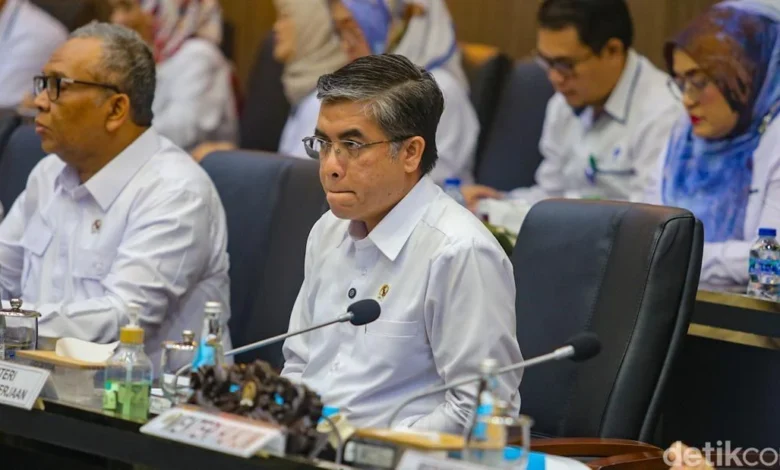
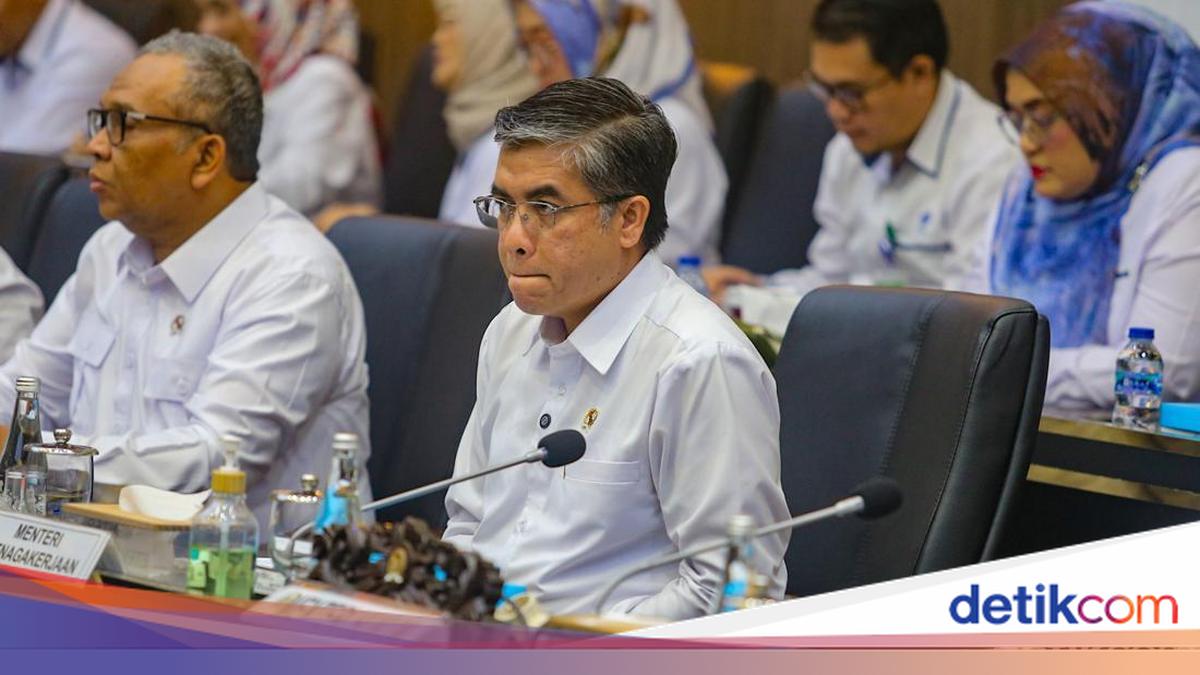
A pivotal legislative session convened on Monday, April 20, 2026, at the Parliament Complex in Senayan, Jakarta, marking a significant stride towards establishing robust legal protections for domestic workers across Indonesia. The working meeting, held between the Ministry of Manpower (Kemenaker) and the House of Representatives’ Legislative Body (Baleg DPR), focused on the Level I discussion of the Draft Law on the Protection of Domestic Workers (RUU PPRT), a long-awaited legal framework designed to address the pervasive vulnerabilities faced by this often-overlooked segment of the workforce. During the session, Minister of Manpower Yassierli articulated the government’s official perspective on the draft legislation, emphasizing the urgency and necessity of a comprehensive legal instrument to safeguard the rights and welfare of domestic workers, who have historically operated outside the purview of formal labor protections. The meeting underscored the collective commitment from various governmental bodies to finally enact a law that would grant domestic workers the dignity, rights, and security long denied to them, reflecting a deepening understanding of their critical yet often precarious role within Indonesian society.
The Landmark Legislative Session and Its Broad Representation
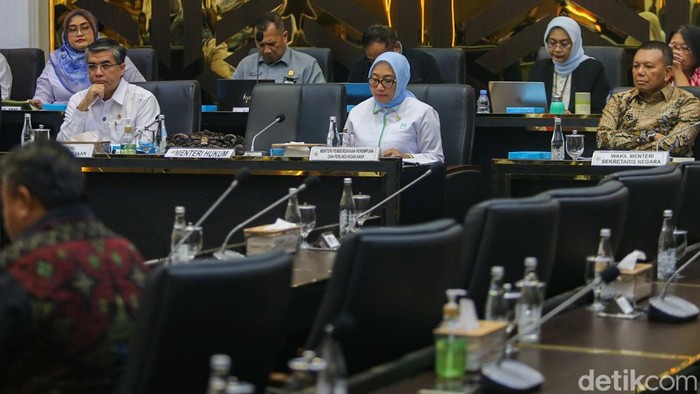
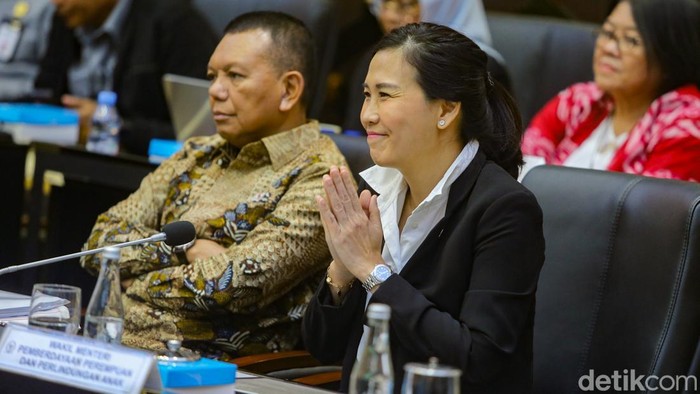
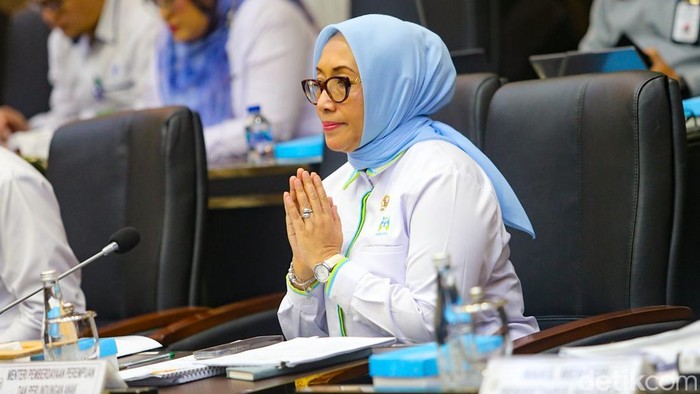
The working meeting on April 20, 2026, was more than just a procedural step; it was a high-level convergence of key government and legislative stakeholders. Chaired by Bob Hasan, the esteemed Chairman of Baleg DPR, the session brought together a formidable array of officials, signifying the multi-sectoral importance attached to the RUU PPRT. Alongside Minister Yassierli, who presented the government’s detailed views and proposed amendments, the presence of Minister of Women Empowerment and Child Protection (PPPA) Arifatul Choiri Fauz, Deputy Minister of PPPA Veronica Tan, and Deputy Minister of State Secretariat Bambang Eko Suhariyanto underscored the cross-cutting nature of the bill. This broad representation highlighted that the protection of domestic workers extends beyond mere labor issues, encompassing human rights, gender equality, child protection (especially concerning child domestic workers), and overall social welfare. The collaborative atmosphere during the meeting suggested a unified governmental front in pushing forward this critical piece of legislation, acknowledging its profound implications for millions of Indonesian citizens. The discussions delved into the intricacies of the draft law, seeking to harmonize various perspectives and ensure that the final version is comprehensive, enforceable, and genuinely transformative for domestic workers nationwide.
Comprehensive Review: Decoding the Daftar Inventarisasi Masalah (DIM)
A testament to the meticulous and extensive review process undertaken by the legislative body, the discussion culminated in the acceptance of hundreds of inputs encapsulated within the Daftar Inventarisasi Masalah (DIM) or List of Inventory of Problems. This detailed breakdown provides a window into the depth of scrutiny applied to the RUU PPRT. The DIMs were categorized as follows:
- Main Body of the Bill:
- 204 Permanent DIMs: These refer to clauses or provisions that are largely accepted as they are, requiring no significant changes. They form the foundational elements of the bill.
- 6 New Substance DIMs: These represent proposals for entirely new articles or provisions not originally included in the draft, suggesting areas where the scope of protection needs to be expanded.
- 10 Substance Change DIMs: These indicate proposed modifications to existing articles, aiming to refine their meaning, clarify ambiguities, or strengthen their protective clauses.
- 52 Redactional Change DIMs: These focus on improving the language, grammar, and coherence of the text without altering its core meaning, ensuring legal clarity and precision.
- 18 Deletion DIMs: These are proposals to remove certain articles or provisions deemed unnecessary, redundant, or potentially counterproductive.
- Explanation Section of the Bill:
- 54 Permanent DIMs: Accepted explanations requiring no changes.
- 16 New Substance DIMs: Proposals for new explanatory notes to provide further context or interpretation for specific articles.
- 55 Redactional DIMs: Edits to improve the clarity and consistency of the explanatory notes.
- 1 Deletion DIM: A proposal to remove an unnecessary explanatory note.
The sheer volume and diversity of these DIMs – totaling approximately 340 for the main body and 126 for the explanation section – demonstrate an exhaustive parliamentary review. This extensive inventory reflects a robust engagement not only from various government ministries but also, implicitly, from civil society organizations, labor unions, academic experts, and potentially even domestic workers themselves or their advocates, who have historically provided input and advocated for this legislation. Each DIM represents a point of discussion, negotiation, and refinement, all aimed at crafting a law that is legally sound, socially just, and practically implementable. The process highlights the democratic nature of lawmaking, where diverse voices contribute to shaping policies that impact vulnerable populations.
A Decades-Long Struggle for Recognition: The Legal Vacuum and Inadequate Protections
The urgency surrounding the RUU PPRT stems from a long-standing legal vacuum that has left millions of domestic workers in Indonesia without adequate protection. For decades, domestic workers have been largely excluded from the primary labor law framework, specifically Undang-Undang Nomor 13 Tahun 2003 tentang Ketenagakerjaan (Law No. 13 of 2003 on Manpower). This fundamental law, while comprehensive for formal sector employees, fails to fully accommodate the unique nature of domestic work. The 2003 Labor Law primarily focuses on industrial and corporate employment relationships, which differ significantly from the employer-employee dynamics within a private household. Key aspects such as working hours, minimum wage, social security, and dispute resolution mechanisms, which are clearly defined for formal sector workers, are either absent or ill-suited for domestic work under the current law. This exclusion has created a precarious environment, subjecting domestic workers to arbitrary conditions, exploitation, and abuse with little recourse.
Recognizing this gap, the government had previously issued Peraturan Menteri Ketenagakerjaan Nomor 2 Tahun 2015 tentang Perlindungan Pekerja Rumah Tangga (Minister of Manpower Regulation No. 2 of 2015 on the Protection of Domestic Workers). While a commendable initial step, this ministerial regulation has inherent limitations. As a ministerial-level decree, it possesses less legal authority and scope compared to a full-fledged law passed by parliament. It serves as a stop-gap measure rather than a definitive legal solution, often lacking the enforcement power, comprehensive definitions, and punitive measures necessary to truly safeguard workers’ rights. Furthermore, regulations can be more easily amended or superseded than laws, offering less long-term legal certainty. The existence of this regulation, therefore, highlighted the problem but also underscored the critical need for a stronger, more enduring legislative framework – a formal law – to provide genuine and comprehensive protection for domestic workers, elevating their status and rights to a level comparable with other sectors of the workforce. The journey of the RUU PPRT itself has been protracted, marked by years of advocacy from civil society organizations and labor unions pushing for its passage, often facing legislative inertia and competing priorities.
The Plight of Domestic Workers in Indonesia: A Call for Justice
The discussions surrounding the RUU PPRT are underpinned by the stark realities faced by an estimated 4 to 5 million domestic workers in Indonesia, a figure that includes both those working domestically and those migrating abroad. The vast majority are women, often from rural areas, migrating to urban centers or even overseas in search of better economic opportunities. However, this pursuit often leads them into vulnerable situations due to the informal nature of their employment and the absence of clear legal protections. Common issues include:
- Excessive Working Hours: Many domestic workers are expected to be on-call almost 24 hours a day, with little to no defined rest periods or days off, blurring the lines between work and personal time.
- Low Wages and Wage Theft: Wages are often below minimum standards, if any standards exist at all, and instances of delayed payment, underpayment, or outright wage theft are not uncommon.
- Lack of Contracts and Formalization: A significant number operate without formal written contracts, making their employment terms ambiguous and leaving them without legal proof of their working relationship.
- Abuse and Exploitation: Physical, verbal, psychological, and even sexual abuse by employers remains a serious concern, often unreported due to fear of reprisal, lack of awareness of rights, or limited access to justice.
- Exclusion from Social Security: Most domestic workers do not have access to national social security programs (BPJS Kesehatan for health, BPJS Ketenagakerjaan for employment), leaving them vulnerable to illness, accidents, and old age without a safety net.
- Limited Access to Education and Healthcare: Their isolated working conditions and lack of formalized status often restrict their access to basic services and opportunities for personal development.
- Child Domestic Labor: Despite laws against child labor, the problem of child domestic workers persists, exposing minors to exploitation, denial of education, and hazardous conditions.
Beyond these individual hardships, the lack of legal recognition contributes to the societal devaluation of domestic work. It reinforces the perception that household labor is not "real" work, despite its immense economic and social contribution. Domestic workers enable millions of other Indonesians, particularly women, to participate in the formal workforce by caring for homes, children, and the elderly. Without the RUU PPRT, this vital workforce remains marginalized, their human rights often disregarded, making the passage of this law not just a matter of labor rights, but of fundamental human dignity and social justice.
Government’s Stance and Inter-Ministerial Commitment
Minister Yassierli’s address at the Baleg DPR meeting was crucial in articulating the government’s official stance and its comprehensive approach to the RUU PPRT. The government’s perspective, as presented, is expected to center on several key principles:
- Human Rights and Dignity: Emphasizing that domestic workers are entitled to the same fundamental human rights and dignity as any other worker, regardless of their employment setting.
- Legal Certainty and Protection: Advocating for a clear legal framework that defines the rights and obligations of both domestic workers and employers, thereby reducing ambiguity and preventing exploitation. This would include provisions for fair wages, reasonable working hours, rest days, and safe working conditions.
- Social Protection: Pushing for the inclusion of domestic workers in national social security schemes, ensuring access to healthcare, old-age benefits, and accident insurance.
- Dispute Resolution Mechanisms: Establishing accessible and effective channels for resolving disputes between domestic workers and employers, ensuring justice and redress.
- Preventing Abuse and Exploitation: Proposing stronger penalties for employers who engage in abuse, exploitation, or human trafficking of domestic workers.
- Empowerment and Capacity Building: Supporting initiatives for training, skill development, and legal literacy for domestic workers.
The active participation of the Ministry of Women Empowerment and Child Protection (PPPA) further highlights the government’s recognition of the gendered nature of domestic work and the particular vulnerabilities faced by women and children in this sector. Minister Arifatul Choiri Fauz and Deputy Minister Veronica Tan’s involvement suggests a focus on ensuring the bill incorporates a strong gender perspective, addresses issues specific to women’s rights, and explicitly protects children from domestic labor. Similarly, the presence of Deputy Minister of State Secretariat Bambang Eko Suhariyanto signals the broader executive branch’s commitment to facilitating the bill’s passage and ensuring its alignment with national policy objectives. This collaborative approach across ministries signifies a concerted effort to create a holistic and effective law that not only provides legal protection but also fosters a culture of respect and fairness towards domestic workers.
The Role of Parliament and Public Engagement
The House of Representatives’ Legislative Body (Baleg DPR), under the leadership of Chairman Bob Hasan, plays a critical role in the intricate process of shaping national legislation. Baleg is tasked with coordinating the drafting and review of bills, ensuring that proposed laws are comprehensive, constitutionally sound, and reflective of the public’s needs. The acceptance of hundreds of DIMs for the RUU PPRT is a direct outcome of this diligent parliamentary function. This extensive list of inputs is not generated in a vacuum; it is the culmination of years of advocacy, public hearings, expert consultations, and feedback from a diverse array of stakeholders. Civil society organizations, labor unions, women’s rights groups, legal aid providers, and academics have tirelessly campaigned for the RUU PPRT, providing invaluable insights into the realities faced by domestic workers and proposing concrete solutions.
These inputs are meticulously reviewed, debated, and integrated into the DIMs, which then form the basis for further deliberation and negotiation between the legislative and executive branches. The transparent and exhaustive nature of this process is vital for ensuring that the final law is robust, equitable, and enjoys broad societal legitimacy. The Baleg’s commitment to thoroughly dissecting each clause and explanation, as evidenced by the detailed categorization of DIMs, reflects a genuine effort to craft a law that will stand the test of time and effectively address the complex challenges of domestic work. This parliamentary rigor is essential to transform what has been a deeply informal and often exploitative sector into one governed by clear legal principles and protections, ultimately uplifting the status of domestic workers in Indonesia.
Implications and Future Outlook: A New Era for Domestic Work
The eventual enactment of the RUU PPRT would usher in a transformative era for domestic workers in Indonesia, bringing about profound implications for workers, employers, and society at large.
Potential Benefits of the Law:
- Formalization of Employment: The law would likely mandate written employment contracts, clearly outlining terms and conditions such as wages, working hours, duties, and termination clauses. This formalization is crucial for establishing legal certainty.
- Fair Wages and Working Conditions: It is expected to introduce provisions for minimum wage standards, defined working hours, daily and weekly rest periods, annual leave, and potentially sick leave, aligning domestic work with national labor norms.
- Social Security Inclusion: A key benefit would be the mandatory inclusion of domestic workers in national social security programs, providing access to healthcare, work accident insurance, and old-age benefits, thus creating a vital safety net.
- Protection Against Abuse: The law would establish clear legal recourse for domestic workers facing abuse or exploitation, including mechanisms for reporting, investigation, and legal aid, along with stringent penalties for perpetrators.
- Dignity and Recognition: Beyond legal rights, the RUU PPRT would elevate the status of domestic work, recognizing it as legitimate labor deserving of respect and protection, thereby challenging long-held societal biases.
- Dispute Resolution: Clear and accessible mechanisms for resolving disputes between workers and employers would be established, reducing instances of unresolved grievances and promoting industrial harmony.
- Alignment with International Standards: The passage of this law would bring Indonesia closer to ratifying and implementing international instruments such as the International Labour Organization (ILO) Convention 189 on Decent Work for Domestic Workers, enhancing Indonesia’s global standing on human rights and labor protection.
Challenges in Implementation:
While the benefits are substantial, the implementation of the RUU PPRT will undoubtedly face challenges:
- Monitoring and Enforcement: Given the private nature of household work, effective monitoring and enforcement will require innovative approaches and significant resources to ensure compliance.
- Awareness Campaigns: Extensive campaigns will be needed to educate both domestic workers about their new rights and employers about their new responsibilities.
- Cultural Shifts: Overcoming ingrained cultural norms and attitudes that devalue domestic work and resist formalization will be a gradual process.
- Resource Allocation: Adequate government resources will be necessary for training inspectors, establishing complaint mechanisms, and providing legal aid.
The RUU PPRT represents a beacon of hope for millions of vulnerable workers, promising to transform their lives from precarious informal labor to recognized and protected employment. Its journey through the Indonesian parliament signifies a maturing legal landscape that increasingly prioritizes the rights of all citizens, particularly those who have long been at the margins. The comprehensive review by Baleg DPR, the unified government stance, and the sustained advocacy efforts paint a picture of an Indonesia committed to social justice and the fundamental human rights of its domestic workforce. The successful passage and effective implementation of this law will not only be a landmark achievement for domestic workers but also a testament to Indonesia’s commitment to building a more equitable and inclusive society.
Related posts: