Viral Three Female Tourists Walk 9.4 Kilometers to Changi Airport at 3 AM Proving Singapore’s Safety

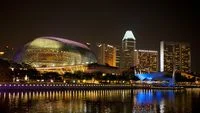
A viral social media video documenting the unconventional journey of three female tourists walking nearly ten kilometers to Singapore’s Changi Airport in the early hours of the morning has sparked a global conversation regarding urban safety and the unique infrastructure of the city-state. The footage, which has garnered over half a million views, depicts the trio opting for a grueling 9.4-kilometer trek starting at 2:42 AM rather than utilizing the city’s ubiquitous ride-hailing services or taxis. While the decision was initially framed as a "peak unemployment activity" by the content creator, it has since evolved into a testament to Singapore’s reputation as one of the safest destinations in the world for solo and group female travelers.
A Chronology of the 9.4-Kilometer Midnight Trek
The journey began in the pre-dawn hours of July 16, 2026. According to the TikTok uploader, a user known as Angie under the handle @giendema, the group decided to depart for Changi Airport well ahead of their scheduled 7:00 AM flight. Rather than booking a 16-minute vehicle ride, which is the standard transit time for such a distance at that hour, the women chose to navigate the route on foot, dragging their hardshell suitcases behind them.
The timeline of the event highlights the physical and logistical commitment required for such a venture. The group officially started their walk at 2:42 AM. Throughout the video, the tourists are seen traversing various terrains, including well-lit commercial districts, residential sidewalks, and eventually, more industrial stretches leading toward the airport precinct. At one point, the footage captures the women navigating a dark underpass, where they were forced to use the flashlights on their smartphones to illuminate the path. Despite the isolation of the hour and the lack of other pedestrians, the group appeared relaxed, focusing more on the physical exertion of moving their luggage than on any potential external threats.
After two hours and twenty-two minutes of continuous walking, the trio arrived at the Changi Airport terminal at 5:04 AM. This arrival time provided them with nearly two hours of leeway before their boarding process began, proving that despite the unconventional method of transport, their logistical planning was sound.
Social Media Reaction and the "Safety Brand"
The video quickly transcended its original context as a travel vlog, becoming a lightning rod for discussions on public safety. The comments section of the post became a forum for international travelers to share their experiences in Singapore. Many users expressed astonishment, not at the distance, but at the fact that three women could walk through a major metropolitan area in the middle of the night without fear of harassment or crime.
"I love Singapore because three girls can walk for two hours to the airport on proper sidewalks at 2 AM and feel perfectly safe doing so," one commenter noted, a sentiment that was echoed by thousands of others. This reaction underscores the "safety brand" that Singapore has cultivated over decades. For many tourists from regions where night-time walking is considered high-risk, the video served as a powerful, albeit informal, advertisement for the country’s social stability.
However, the discourse was not without humor. A significant portion of the audience focused on the practicalities of the walk. Given Singapore’s tropical climate, characterized by high humidity and temperatures that rarely drop below 26 degrees Celsius even at night, many questioned how the women arrived at the airport without being completely drenched in sweat. Others pointed out the toll that a 9.4-kilometer walk on asphalt would take on the wheels of standard travel suitcases, which are generally not designed for long-distance hiking.
Statistical Context: Why Singapore is an Outlier in Global Safety
The ability of these tourists to complete their journey safely is backed by rigorous data. Singapore consistently ranks at the top of global safety and security indices. According to the Economist Intelligence Unit’s (EIU) Safe Cities Index, Singapore frequently occupies a top-three position globally, often leading in categories such as personal security and infrastructure security.
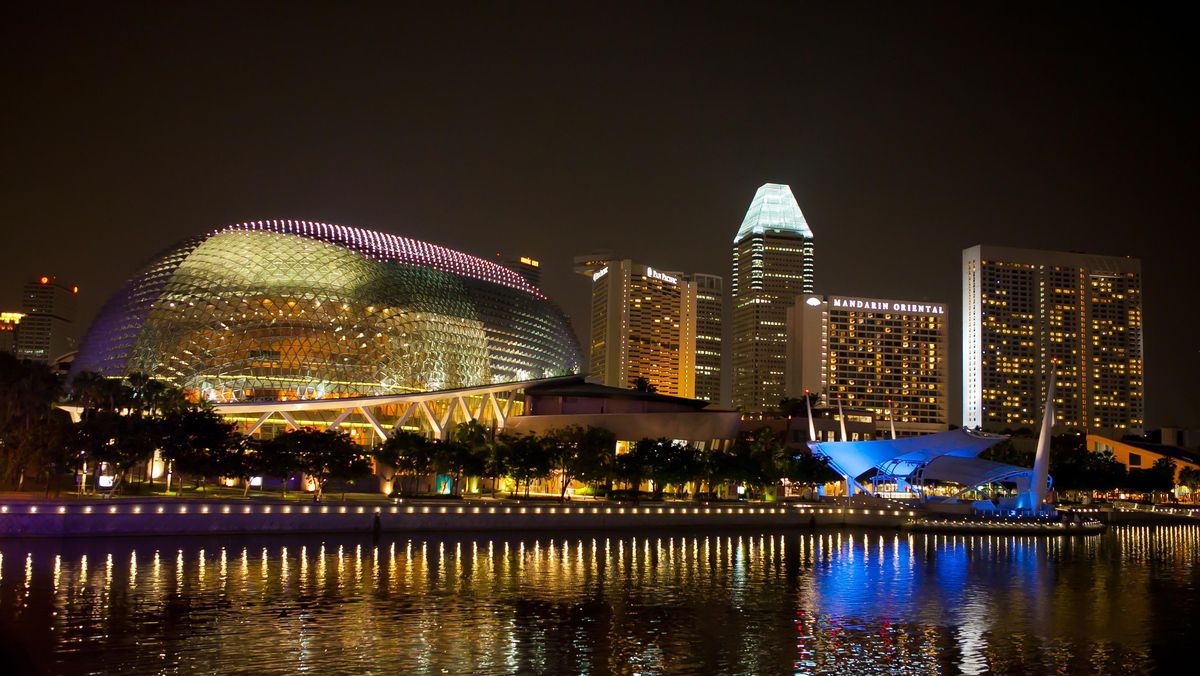
Several factors contribute to this environment:
- Strict Legal Framework: Singapore is known for its stringent laws and the high probability of apprehension. The "deterrence effect" is strong, with visible policing and a legal system that imposes significant penalties for even minor crimes.
- Surveillance Infrastructure: The city-state maintains one of the most sophisticated surveillance networks in the world. The PolCam initiative, which has installed over 90,000 cameras across public housing estates and commercial centers, ensures that most public spaces are under constant oversight.
- Urban Design: The route taken by the tourists, while long, consists of a continuous network of well-maintained sidewalks. Singapore’s urban planning prioritizes connectivity, and the presence of street lighting even in remote areas reduces the "dark corners" typically associated with urban crime.
- Economic Stability: Analysts point to Singapore’s high standard of living and low unemployment rates as foundational elements that reduce the socio-economic drivers of opportunistic crime.
The Walkability Paradox
Interestingly, despite the success of this viral walk, Singapore’s ranking in terms of "walkability" for tourists is a subject of debate. The source content notes that GuruWalk, a prominent platform for walking tours, ranked Singapore 70th in its list of the world’s 100 best cities for exploring on foot. This puts it behind regional neighbors like Hanoi, Ho Chi Minh City, and Kuala Lumpur.
This lower ranking is often attributed not to a lack of safety or sidewalks, but to the city’s climate and the "functional" nature of its streets. While European cities like Rome or Prague offer dense, historical centers where every turn reveals a landmark, Singapore’s journey to the airport involves long stretches of modern, somewhat repetitive infrastructure. Furthermore, the intense heat makes walking long distances a challenge for the average visitor. The feat performed by these three tourists is therefore seen as an outlier—an endurance test facilitated by safety, rather than a standard tourist activity.
Broader Implications for the Tourism Industry
This event highlights a shifting trend in Gen Z and Millennial travel: the pursuit of "extreme" or "unfiltered" experiences. The choice to walk was not born of necessity, as Singapore’s public transport and ride-hailing apps (such as Grab and Tada) are highly efficient and relatively affordable. Instead, it was an intentional choice to engage with the city in a way that most residents and tourists never do.
For the Singapore Tourism Board (STB), such organic viral content is invaluable. It reinforces the narrative of the "Safe City" without the need for polished marketing campaigns. As global travel continues to recover and evolve, safety remains the primary concern for the fastest-growing demographic of travelers: solo females. Real-world proof that a 9-kilometer walk at 3 AM is a mundane, safe activity provides a level of assurance that brochures cannot match.
Conclusion and Analysis
The journey of Angie and her companions serves as a vivid case study of Singapore’s unique position in the global landscape. While the act itself was labeled "peak unemployment activity"—a self-deprecating nod to having too much time on one’s hands—it inadvertently highlighted the structural and social strengths of the nation.
From a logistical standpoint, the walk was a success, getting the travelers to their destination with time to spare. From a social standpoint, it reaffirmed the high level of trust the public places in Singaporean law enforcement and infrastructure. However, it also serves as a reminder of the physical realities of the region; while the streets are safe, the humidity and distance remain formidable opponents.
As the video continues to circulate, it stands as a testament to the fact that in certain parts of the world, the greatest danger a nighttime traveler faces isn’t crime, but rather the blisters on their feet and the tropical heat. For Singapore, this viral moment is a glowing endorsement of its status as a premier, secure, and highly functional global hub, regardless of whether its visitors choose to travel by limousine or on foot.